faq-accordion-with-image
Файли-джерела
- index.html
section.faq-section
Бібліотеки
bootstrapgsapsplittext
Summary
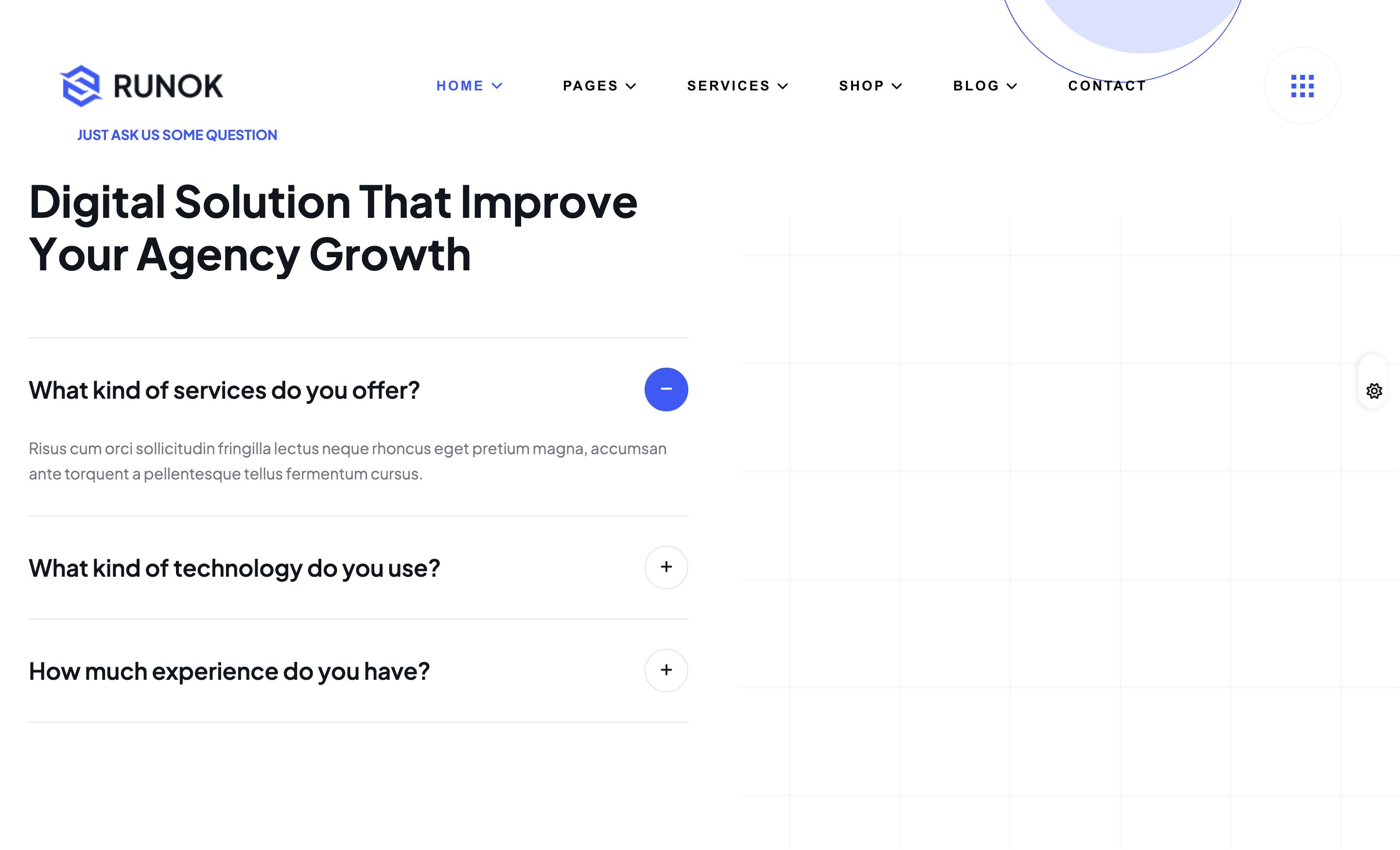
Two-column FAQ block. The left column is a Bootstrap 5 accordion with three questions and a default-open first answer; the right column carries a hero illustration that mask-reveals into view on scroll via the same .reveal GSAP timeline used by the about section.
HTML structure (minimal)
<section class="faq-section pt-130 pb-130">
  <div class="faq-shape"><img src="assets/img/shapes/faq-shape-1.png" alt="shape"></div>
  <div class="container">
    <div class="row gy-lg-0 gy-4">
      <div class="col-xl-6 col-lg-12">
        <div class="faq-content">
          <div class="section-heading">
            <h4 class="sub-heading after-none">Just Ask us some question</h4>
            <h2 class="section-title">Digital Solution That Improve Your Agency Growth</h2>
          </div>
          <div class="accordion fade-wrapper" id="accordionExampleTwo">
            <div class="accordion-item fade-top">
              <h2 class="accordion-header" id="headingFour">
                <button class="accordion-button" type="button" data-bs-toggle="collapse"
                        data-bs-target="#collapseFour" aria-expanded="true">
                  What kind of services do you offer?
                </button>
              </h2>
              <div id="collapseFour" class="accordion-collapse collapse show"
                   data-bs-parent="#accordionExampleTwo">
                <div class="accordion-body">Risus cum orci sollicitudin fringilla lectus…</div>
              </div>
            </div>
            <!-- 2 more accordion items -->
          </div>
        </div>
      </div>
      <div class="col-xl-6 col-lg-12">
        <div class="faq-img reveal text-center">
          <img src="assets/img/images/faq-img.png" alt="faq">
        </div>
      </div>
    </div>
  </div>
</section>
Key SCSS tokens
.faq-section .accordion-item {
  background: transparent; border: 0; border-bottom: 1px solid var(--rr-color-border-1);
  padding: 25px 0;
  .accordion-button {
    background: transparent; color: var(--rr-color-common-white);
    font-size: 22px; font-weight: 600; padding: 0 30px 0 0; box-shadow: none;
    &::after {
      background-image: none; content: "\f067"; font-family: "Font Awesome 6 Free";
      font-weight: 900; transform: rotate(0deg);
      transition: transform .3s ease, content .3s ease;
    }
    &:not(.collapsed)::after { content: "\f068"; transform: rotate(180deg); }
  }
  .accordion-body { padding: 16px 0 0; color: var(--rr-color-text-body); }
}
Animation logic
// FAQ image uses the shared .reveal mask + counter-translate logic.
// See image-reveal-about.md for the full timeline.
Notable details
- The default Bootstrap chevron is replaced with FontAwesome
+/−glyphs via&::after { content: "\f067" }, giving the accordion a more "FAQ catalog" feel. - The trigger text is full-weight 600 white text without any chevron icon font baked into the markup — purely CSS, so changing the icon set requires only the SCSS edit.
- The right-column illustration uses the same
.revealpattern as the about photos, tying the page together with a single reveal motif used three times (about + about-img-2 + faq).
Use when
- FAQ blocks that should feel like editorial editorial copy rather than a knowledge-base article.
- Pages that already use a
.revealmask for photos and want the FAQ illustration to share that motion vocabulary.
Caveats
- FontAwesome 6 Free is required for the
+/−glyphs; if you swap to a different icon set thecontent: "\f067"strings must be updated. - The default-open first item ships with
aria-labelledby="headingTwo"while the heading id isheadingFour— minor a11y inconsistency to clean up before production.