hero-banner
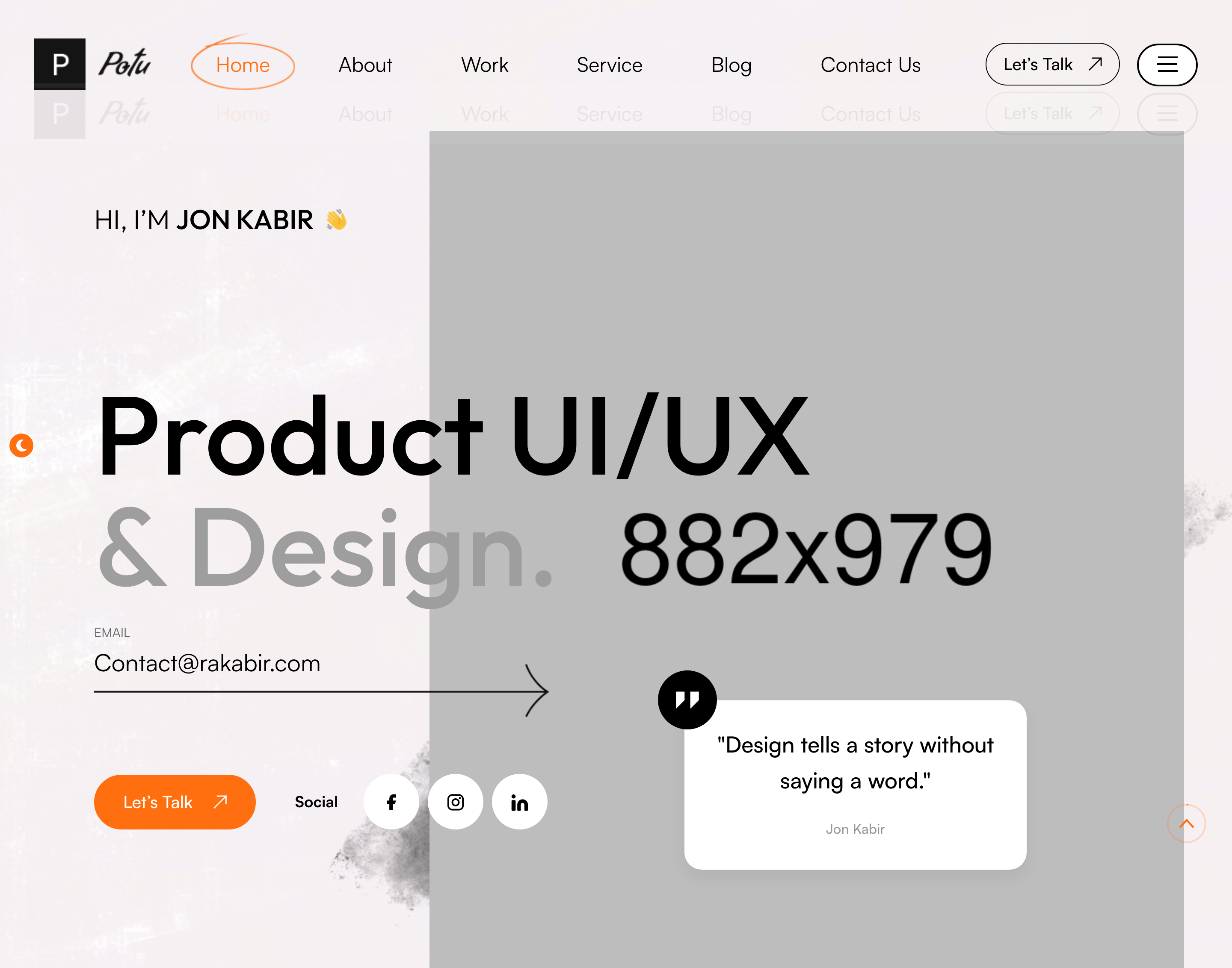
Файли-джерела
- index.html
section.banner-section
Бібліотеки
jquerygsapsplittext
Summary
The headline hero: a designer portrait sits on the right, a typed-text rotator cycles roles ("Branding,") inside the headline, and a row of decorative orbs parallax with the cursor. Underneath, a compact email form and a quote card share the same row.
HTML structure (minimal)
<section class="banner-section">
<div class="pattern-layer" style="background-image: url(shape-2.png);"></div>
<div class="shape parallax-scene parallax-scene-2 anim-icons">
<div data-depth="0.40" class="shape-1" style="background-image: url(shape-4.png);"></div>
<div data-depth="0.50" class="shape-2" style="background-image: url(shape-5.png);"></div>
<div class="shape-3" style="background-image: url(shape-6.png);"></div>
<div data-depth="0.60" class="shape-4" style="background-image: url(shape-9.png);"></div>
</div>
<figure class="image-layer"><img src="banner-img-1.png"></figure>
<div class="outer-container">
<div class="content-box">
<h3>Hi, I'm <span>Jon Kabir</span></h3>
<h2>
<span class="color-text animation_text_word"></span>
Product UI/UX <span class="light-text">& Design.</span>
</h2>
<div class="lower-box">
<div class="inner-box">
<form>
<div class="form-group"><label>EMAIL</label><input type="email"></div>
<button class="theme-btn"><span>Let's Talk</span></button>
</form>
</div>
<div class="quote-box">
<p>"Design tells a story without saying a word."</p>
<span class="name">Jon Kabir</span>
</div>
</div>
</div>
</div>
</section>
Key SCSS tokens
.banner-section { position: relative; padding: 236px 0 115px; }
.banner-section .image-layer { position: absolute; right: 0; bottom: 0; max-width: 50%; }
.banner-section .content-box h2 { font-size: 110px; line-height: 1.1; font-weight: 700; }
.banner-section .content-box h2 .color-text { color: var(--theme-color); }
.banner-section .content-box h2 .light-text { color: rgba(0,0,0,0.30); }
.banner-section .lower-box { display: flex; gap: 40px; margin-top: 80px; }
Animation logic
// Typed roles in the headline
jQuery('.animation_text_word').typed({
  strings: ["Branding,", "Branding,", "Branding,"],
  loop: true, startDelay: 1000, backDelay: 3000
});

// Mouse-parallax on the shape layer
new Parallax(document.querySelector('.parallax-scene-2'));
Notable details
- The headline mixes three colours via inline spans: brand orange for the typed verb, near-black for the static line, low-alpha black for the muffled tail — gives a magazine-cover hierarchy.
- The decorative shapes carry
data-depthsoparallax.min.js(Wagerfield) shifts them on mouse move with no extra code. - Pattern + image-layer are siblings, not nested, which makes it easy to swap one without disturbing the other.
Use when
- Creator/freelancer landing pages that want the headline to do most of the visual work.
- Hero sections where you need both a CTA AND a quotation in the first viewport.
Caveats
- The
typed.jsrotator currently has identical strings — by design (subtle blink) but easy to misread as a bug. - The portrait is a
figure.image-layerabsolutely positioned; on narrow viewports it reflows underneath, so test 768 px breakpoint. - Banner-img is a flat PNG with transparency; replacing requires a cut-out or a removed background.