about-with-video
Можливості·Шаблон: Medcity - Medical Healthcare HTML5 Template·Складність анімації: subtle·Адаптивний: Так
Файли-джерела
- index.html
section.about-layout2
Бібліотеки
jquerybootstrap
Summary
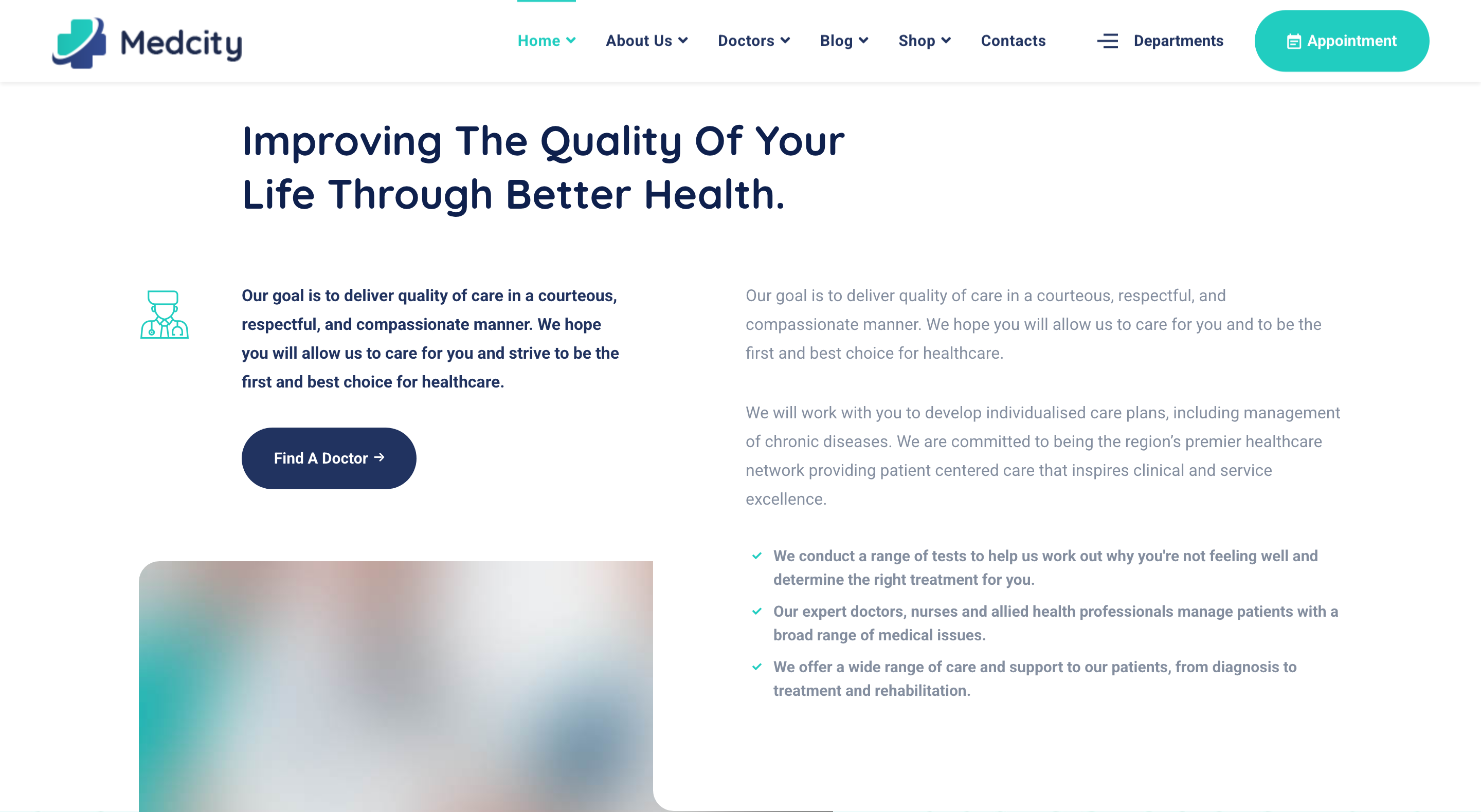
Two-column "Improving the quality of your life" about block. Left column carries a doctor-icon callout with a Find a Doctor CTA, plus a video poster with a Magnific Popup play button. Right column carries the long body copy and a bullet list of supporting points.
HTML structure (minimal)
<section class="about-layout2 pb-0">
  <div class="container">
    <div class="row">
      <div class="col-lg-7 offset-lg-1">
        <div class="heading-layout2">
          <h3 class="heading__title mb-60">Improving The Quality Of Your <br> Life Through Better Health.</h3>
        </div>
      </div>
    </div>
    <div class="row">
      <div class="col-lg-5">
        <div class="text-with-icon">
          <div class="text__icon"><i class="icon-doctor"></i></div>
          <div class="text__content">
            <p class="heading__desc font-weight-bold color-secondary mb-30">Our goal is to deliver quality of care…</p>
            <a href="doctors-timetable.html" class="btn btn__secondary btn__rounded mb-70">
              <span>Find A Doctor</span><i class="icon-arrow-right"></i>
            </a>
          </div>
        </div>
        <div class="video-banner-layout2 bg-overlay">
          <img src="assets/images/about/2.jpg" alt="about" class="w-100">
          <a class="video__btn video__btn-white popup-video" href="https://www.youtube.com/watch?v=…">
            <div class="video__player"><i class="fa fa-play"></i></div>
            <span class="video__btn-title color-white">Watch Our Video!</span>
          </a>
        </div>
      </div>
      <div class="col-lg-7">
        <div class="about__text bg-white">
          <p class="heading__desc mb-30">Our goal is to deliver quality of care…</p>
          <p class="heading__desc mb-30">We will work with you to develop individualised care plans…</p>
          <ul class="list-items list-unstyled">
            <li>We conduct a range of tests…</li>
            <li>Our expert doctors, nurses and allied health professionals…</li>
            <li>We offer a wide range of care and support…</li>
          </ul>
        </div>
      </div>
    </div>
  </div>
</section>
Key SCSS tokens
.about-layout2 {
  .text-with-icon { display: flex; align-items: flex-start;
    .text__icon i { font-size: 60px; color: $color-primary; margin-right: 20px; }
  }
  .video-banner-layout2 {
    position: relative; border-radius: 8px; overflow: hidden;
    &.bg-overlay::before { background: rgba($color-secondary, .35); }
    .video__btn { position: absolute; inset: 0; display: flex; flex-direction: column;
      align-items: center; justify-content: center;
      .video__player { width: 70px; height: 70px; border-radius: 50%;
        background: $color-white; color: $color-primary; }
    }
  }
  .about__text { background: $color-white; padding: 40px; box-shadow: 0 5px 50px rgba(0,0,0,.05); }
}
Animation logic
// Magnific Popup is initialised via the .popup-video class through the plugin bundle:
$('.popup-video').magnificPopup({ type: 'iframe', mainClass: 'mfp-fade', removalDelay: 160 });
Notable details
- The right-hand
about__textsits onbg-whitewith a soft drop shadow, so it pulls forward slightly over the photo on the left even though both are inside the same row — gives the read-heavy column a "card on a card" feel. - Mixing
text-with-icon(icon next to copy) with the video poster underneath uses one column to deliver three jobs (mission statement, CTA, video) without feeling crowded.
Use when
- About sections that need to combine narrative copy with a video lightbox in a single screen.
- Sites where the hero is photo-heavy and the about block must keep using imagery to maintain visual rhythm.
Caveats
- Magnific Popup is jQuery-based and abandoned in 2018; modern rewrites should swap to GLightbox or Fancybox 5.
- The mid-section overlap relies on Bootstrap col offsets; redesigning to a 12-col grid without offsets requires re-tuning spacing.