contact-form-map
Контакти·Шаблон: Lawgist – Attorney & Lawyers HTML Template·Складність анімації: subtle·Адаптивний: Так
Файли-джерела
- index.html
section.contact_wrapper
Бібліотеки
bootstrapjquery
Summary
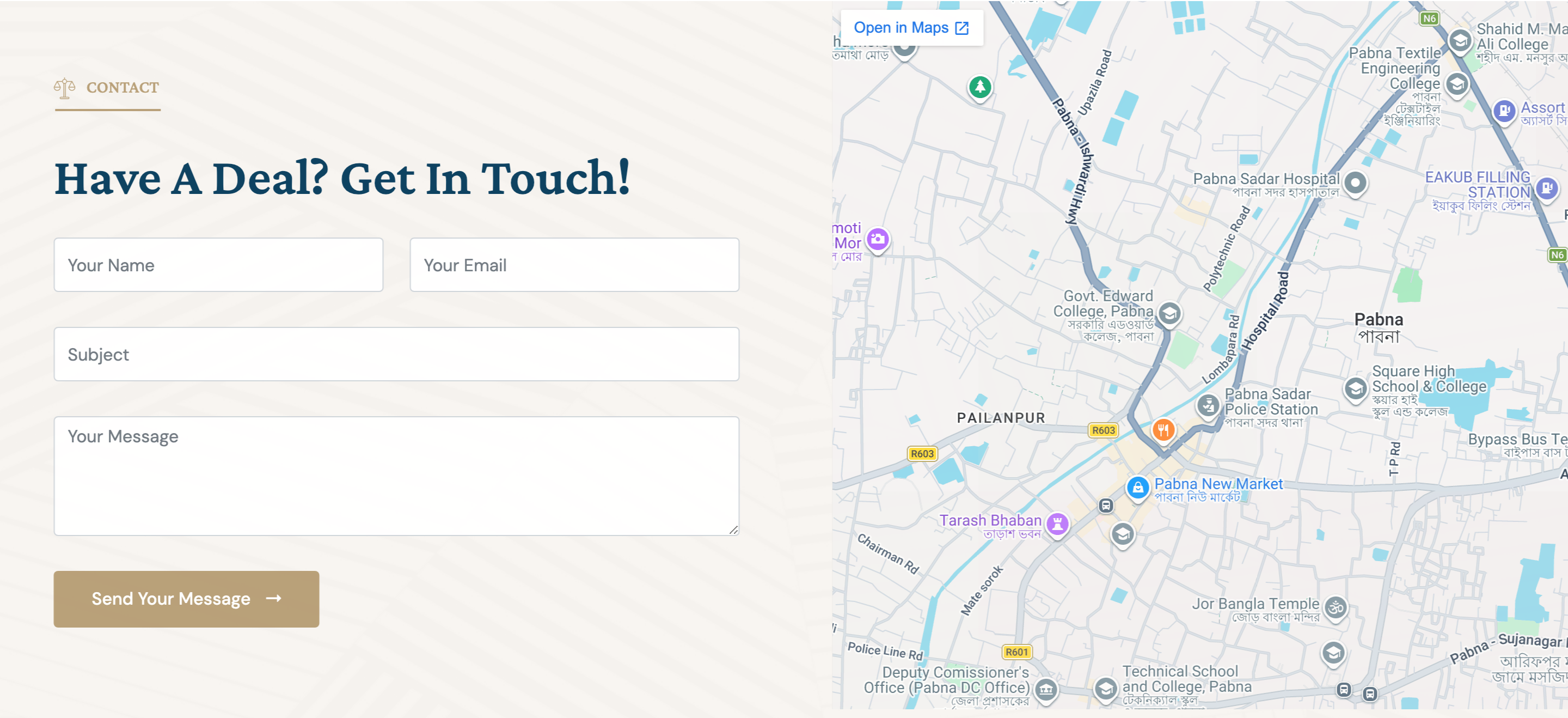
Full-width contact band split 50/50: a four-field form on the left (name, email, subject, message + submit) and an embedded Google Maps iframe on the right. Section sits over a soft pattern background.
HTML structure (minimal)
<section class="contact_wrapper bg-center bg-cover" style="background-image: url(home_01/bg_4.svg)">
  <div class="container-fluid">
    <div class="row align-items-center">
      <div class="col-lg-6 mb-4 mb-lg-0">
        <div class="contact_form wow fadeInLeft" data-wow-duration="1s">
          <div class="section-title">
            <h6><img src="bage_head.svg" alt="">Contact</h6>
            <h2>Have a Deal? Get In Touch!</h2>
          </div>
          <form action="mail.php" method="POST">
            <div class="row">
              <div class="col-md-6"><div class="my-3"><input type="text" class="form-control" name="name" placeholder="Your Name"></div></div>
              <div class="col-md-6"><div class="my-3"><input type="email" class="form-control" name="email" placeholder="Your Email"></div></div>
              <div class="col-md-12"><div class="my-3"><input type="text" class="form-control" name="subject" placeholder="Subject"></div></div>
              <div class="col-md-12"><div class="my-3"><textarea name="textarea" class="form-control" cols="8" rows="4" placeholder="Your Message"></textarea></div></div>
              <div class="col-md-12"><div class="my-3"><button type="submit" class="theme-btn">Send Your Message <i class="far fa-long-arrow-alt-right"></i></button></div></div>
            </div>
          </form>
        </div>
      </div>
      <div class="col-lg-6 pe-lg-0 pe-3">
        <div class="map wow fadeInRight" data-wow-duration="1s">
          <iframe src="https://www.google.com/maps/embed?…" loading="lazy" allowfullscreen referrerpolicy="no-referrer-when-downgrade"></iframe>
        </div>
      </div>
    </div>
  </div>
</section>
Key SCSS tokens
.contact_wrapper {
  padding: 100px 0;
  .form-control {
    height: 56px;
    background: transparent;
    border: 1px solid rgba(34,33,39,0.16);
    border-radius: 2px;
    padding: 0 18px;
    &:focus { border-color: #c8242f; box-shadow: none; }
  }
  textarea.form-control { height: auto; min-height: 130px; padding: 14px 18px; }
  .map iframe {
    width: 100%;
    height: 540px;
    border: 0;
    border-radius: 4px;
  }
}
Animation logic
new WOW().init(); // fadeInLeft form, fadeInRight map
// Form submit handled by ajax-mail.js → POST mail.php
Notable details
- Map sits flush to the right viewport edge (
pe-lg-0) — escapes the container to feel embedded rather than card-sized. - Border-only inputs (no fill) keep the form visually quiet on a patterned background.
- Real backend wired to
mail.php(PHP server required) — most templates ship JS-only forms.
Use when
- Contact pages or end-of-home conversion where a map adds local credibility.
- Designs that want a calm "two equal pieces" layout rather than a heavy card.
- Static-host workflows that can either swap in Formspree/Netlify or keep PHP.
Caveats
mail.phprequires PHP on the host; static deploys must replace the form action.- Google Maps iframe is hardcoded to a Bangladesh location — update the embed URL.
name="textarea"is unusual — most form handlers expectname="message". Update both HTML andajax-mail.jsif you need standard names.