testimonials-sticky
Відгуки·Шаблон: Consulo Creative Business Consulting Template·Складність анімації: subtle·Адаптивний: Так
Файли-джерела
- index.html
main .testimonial.mt-100
Бібліотеки
aosbootstrap
Summary
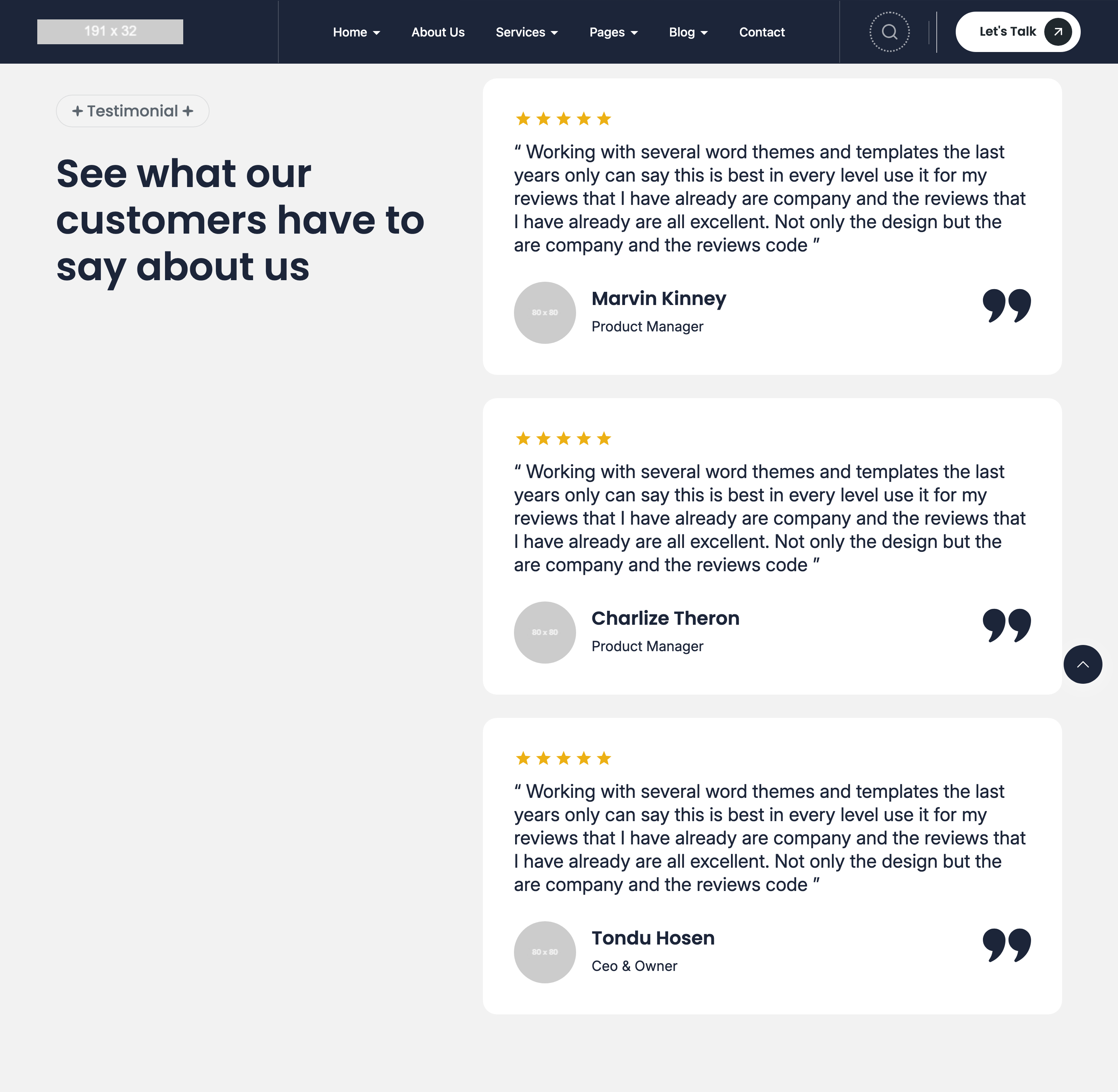
Two-column testimonial section: a 5/12 sticky left column carrying the eyebrow + "See what our customers have to say" headline, paired with a 7/12 right column that scrolls a vertical stack of rounded testimonial cards past it. Each card has a 5-star row, a 24px quote, an avatar+name+role footer and an outsized 62px decorative quote SVG anchored to the right.
HTML structure (minimal)
<div class="testimonial mt-100 section-padding">
  <div class="container">
    <div class="row">
      <div class="col-lg-5 col-12">
        <div class="section-headings section-headings-sticky">
          <div class="subheading text-20 subheading-bg"><span>Testimonial</span></div>
          <h2 class="heading text-50">See what our customers have to say about us</h2>
        </div>
      </div>
      <div class="col-lg-7 col-12">
        <div class="testimonial-card-inner">
          <div class="card-testimonial radius18" data-aos="fade-up">
            <ul class="rating-list list-unstyled">
              <li class="rating-icon"><svg>★</svg></li>
              <!-- ×5 -->
            </ul>
            <p class="text text-24">"Working with several themes...best in every level..."</p>
            <div class="user-info-wrap">
              <div class="user-info">
                <div class="user-img"><img src="testimonial/1.jpg" /></div>
                <div class="user-name-desig">
                  <h2 class="user-name heading text-24">Marvin Kinney</h2>
                  <div class="user-desig text text-18">Product Manager</div>
                </div>
              </div>
              <div class="icon-quote"><svg class="icon icon-62">"</svg></div>
            </div>
          </div>
          <!-- more cards stacked -->
        </div>
      </div>
    </div>
  </div>
</div>
Key SCSS tokens
.section-headings-sticky {
  position: -webkit-sticky;
  position: sticky;
  top: calc(var(--header-height) + 32px);
}
.card-testimonial {
  background: var(--color-background-subheading-light, #f2f2f2);
  border-radius: 18px;
  padding: 40px;
  margin-block-end: 24px;
}
.rating-icon { color: #f4b300; }
.user-info-wrap {
  display: flex;
  justify-content: space-between;
  align-items: center;
  margin-block-start: 32px;
}
.icon-quote { color: rgba(28, 37, 57, 0.1); }
Notable details
- Pure CSS sticky — no JS, no GSAP ScrollTrigger. The headings park at
top: calc(var(--header-height) + 32px)so they clear the floating navbar. - The decorative quote SVG (62px) is intentionally low-contrast (10% navy alpha) so it reads as a watermark rather than competing with the actual quote text.
- AOS
fade-upis staggered per card via incrementingdata-aos-delay(10, 20, 30...) — gentle, not flashy.
Use when
- Long-form testimonial sections where you want the section title to anchor while content streams.
- Any list-with-anchor layout (FAQ, feature breakdown, testimonials, case-study log) where the left column is short and the right is long.
- You want a "scroll-pinned headline" effect without GSAP ScrollTrigger.
Caveats
- Sticky positioning requires the parent container to allow it — Bootstrap's
.rowis fine, but if you wrap inoverflow: hiddenancestors the sticky breaks. - The sticky
topoffset hard-codes the floating-header allowance; if you remove the floating header, also drop the--header-heightvariable to 0 or the title hangs in mid-air.