blog-carousel
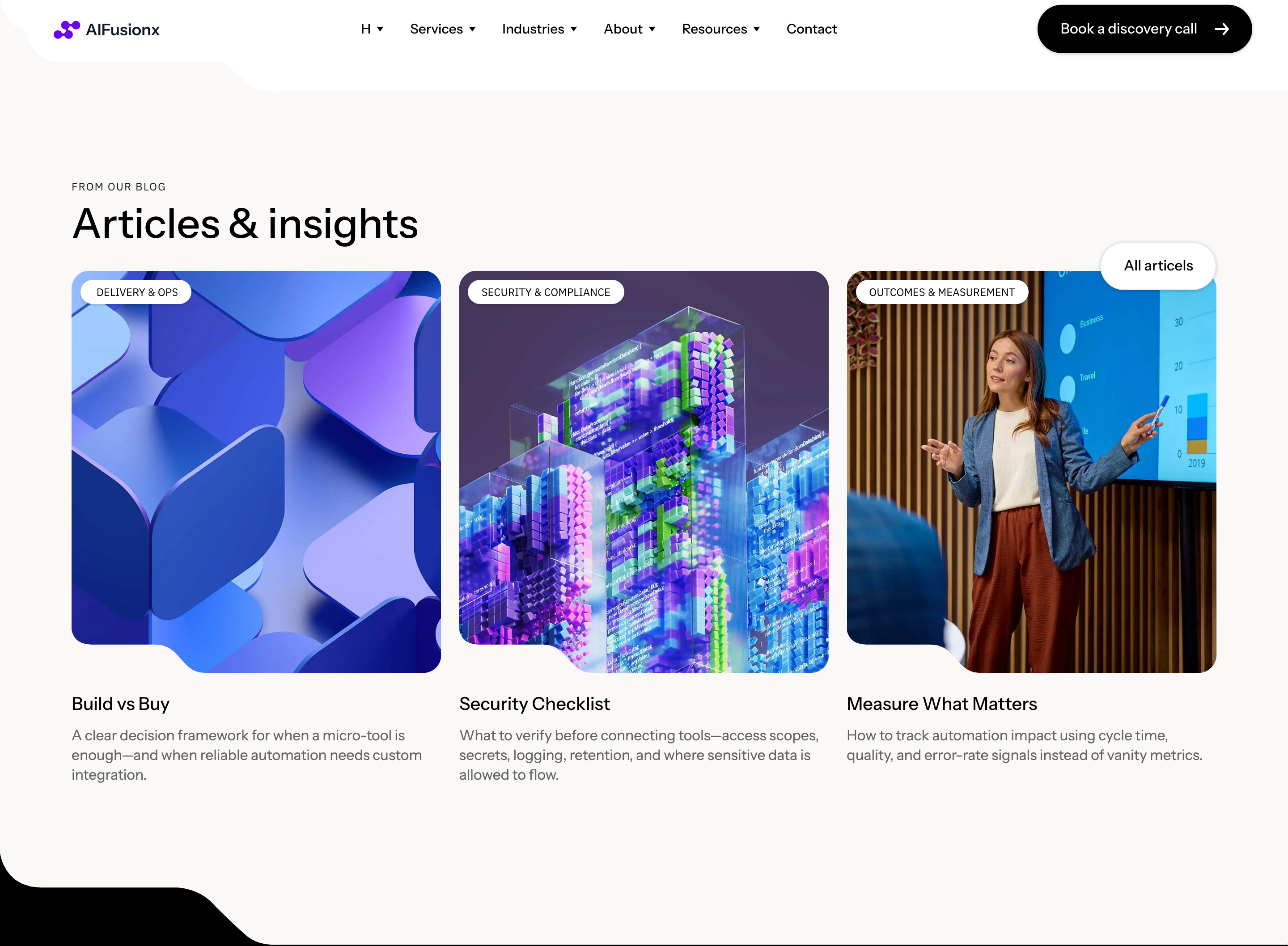
Картка блогу·Шаблон: AIFusionX (WP theme — analyzed via live demo)·Складність анімації: subtle·Адаптивний: Так
Файли-джерела
- https://aifusionx.vamtam.com/
[data-id="3cdf3c7"]
Бібліотеки
swiper
Summary
"From our blog" — an Elementor Pro Loop Carousel pulling the latest posts. Each slide is a vertical blog card: featured image at the top, post-info row (date · author · category), title, two-line excerpt, and a "Read more" pill button. Three cards visible at once on desktop.
HTML structure (minimal)
<section class="blog">
  <header class="blog__head">
    <p class="eyebrow">From our blog</p>
    <h2 class="blog__title">Field notes.</h2>
  </header>
  <div class="swiper blog__swiper">
    <div class="swiper-wrapper">
      <article class="swiper-slide post">
        <a href="/post-1" class="post__media">
          <img src="/img/post-1.jpg" alt="">
        </a>
        <p class="post__meta">10 May 2026 · Anna Petersen · Automation</p>
        <h3 class="post__title">
          <a href="/post-1">When to skip the AI and just write a script.</a>
        </h3>
        <p class="post__excerpt">A practical rubric we use in week one of every engagement.</p>
        <a class="btn btn--pill btn--ghost" href="/post-1">Read</a>
      </article>
      <!-- repeat slides -->
    </div>
    <div class="swiper-pagination"></div>
  </div>
</section>
Key SCSS tokens
.blog {
  padding: 96px 32px;
  font-family: "Instrument Sans", system-ui, sans-serif;
}
.blog__title {
  font-size: 60px;
  font-weight: 500;
  letter-spacing: -1px;
  line-height: 1.1;
  margin-bottom: 56px;
}
.post {
  display: flex;
  flex-direction: column;
  gap: 16px;
}
.post__media img {
  width: 100%;
  aspect-ratio: 4 / 3;
  object-fit: cover;
  border-radius: 16px;
}
.post__meta {
  font-size: 12px;
  color: #000;
  opacity: 0.7;
  margin: 8px 0 0;
}
.post__title {
  font-size: 22px;
  font-weight: 500;
  letter-spacing: -0.3px;
  line-height: 1.25;
  margin: 0;
}
.post__title a { color: inherit; text-decoration: none; }
.post__excerpt { font-size: 14px; line-height: 1.5; max-width: 56ch; }
.btn--ghost {
  align-self: flex-start;
  padding: 12px 22px;
  border-radius: 60px;
  border: 0.5px solid #000;
  color: #000;
  background: transparent;
  text-decoration: none;
  font-size: 14px;
  font-weight: 500;
  margin-top: 8px;
}
Animation logic
import Swiper from 'swiper';
import { Pagination } from 'swiper/modules';

new Swiper('.blog__swiper', {
  modules: [Pagination],
  slidesPerView: 1.2,
  spaceBetween: 24,
  pagination: { el: '.swiper-pagination', clickable: true },
  breakpoints: {
    768:  { slidesPerView: 2 },
    1100: { slidesPerView: 3 },
  },
});
Notable details
- Same Loop Carousel widget reused from the Industries section — design system reuse in the wild.
- Post-meta line ("10 May 2026 · Anna Petersen · Automation") uses interpunct separators instead of commas — a print convention that reads cleaner than slashes or pipes.
- Ghost pill ("Read") is one rung lower in weight than the dark hero CTA — the page never lets the blog card outshine the primary CTA.
- 4:3 image aspect ratio (not 16:9) keeps the post card squat enough to fit three across without dominating the row.
Use when
- The site has an active blog with at least 6 recent posts and you want them surfaced on the home page.
- You're already in an Elementor Pro environment OR you're ready to wire Swiper yourself.
- You want to recycle the Industries carousel pattern instead of inventing a new "blog cards" beat.
Caveats
- Loop Carousel is Elementor Pro only — outside that environment you write the Swiper init by hand.
- Card heights diverge if titles wrap to different line counts; pin a min-height on
.post__titleif uniformity matters. - Three cards on desktop, two on tablet, one on mobile — but at very narrow desktop widths the "1.2 visible" peek state needs a final breakpoint or it looks broken.